Recently fixed an issue with my "Dyson Purifier CoolTM Fan" (TP07) and wanted to share for anyone else that was having the same issue.
TL;DR: the cable to the screen was invisibly broken, and this causes the entire fan to not boot.
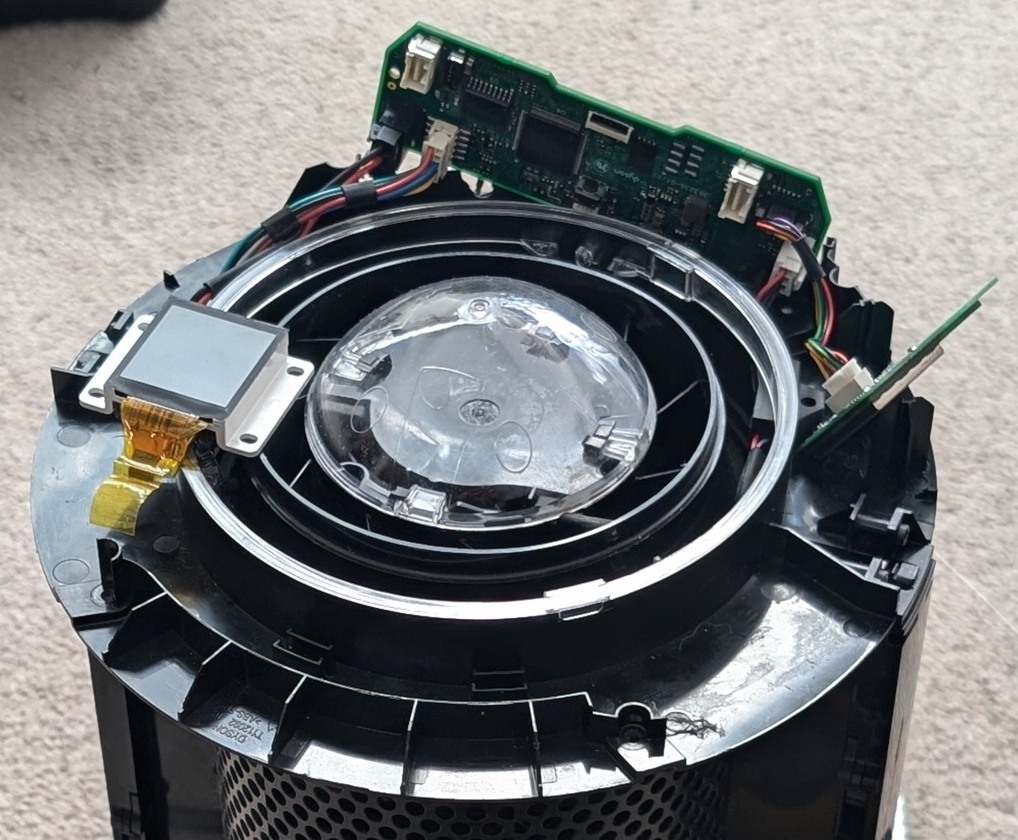
Symptoms
- Fan would turn on for a second, but then immediately shut off
- The screen was on, but all white
- After a second of booting up, the fan became unresponsive to remote commands
- You could get the fan going (but still unresponsive to remote commands) by power cycling it at the power point, then turning it off and on in quick succession, then turning it on after a few seconds
Cause
While playing with the UART debug port, I one day found my Dyson fan not turning on. I tried all sorts of things, but I wasn't able to get it to start up again.
While stubbornly refusing to let it die, I even went as far as ordering a new motherboard for it off Aliexpress.
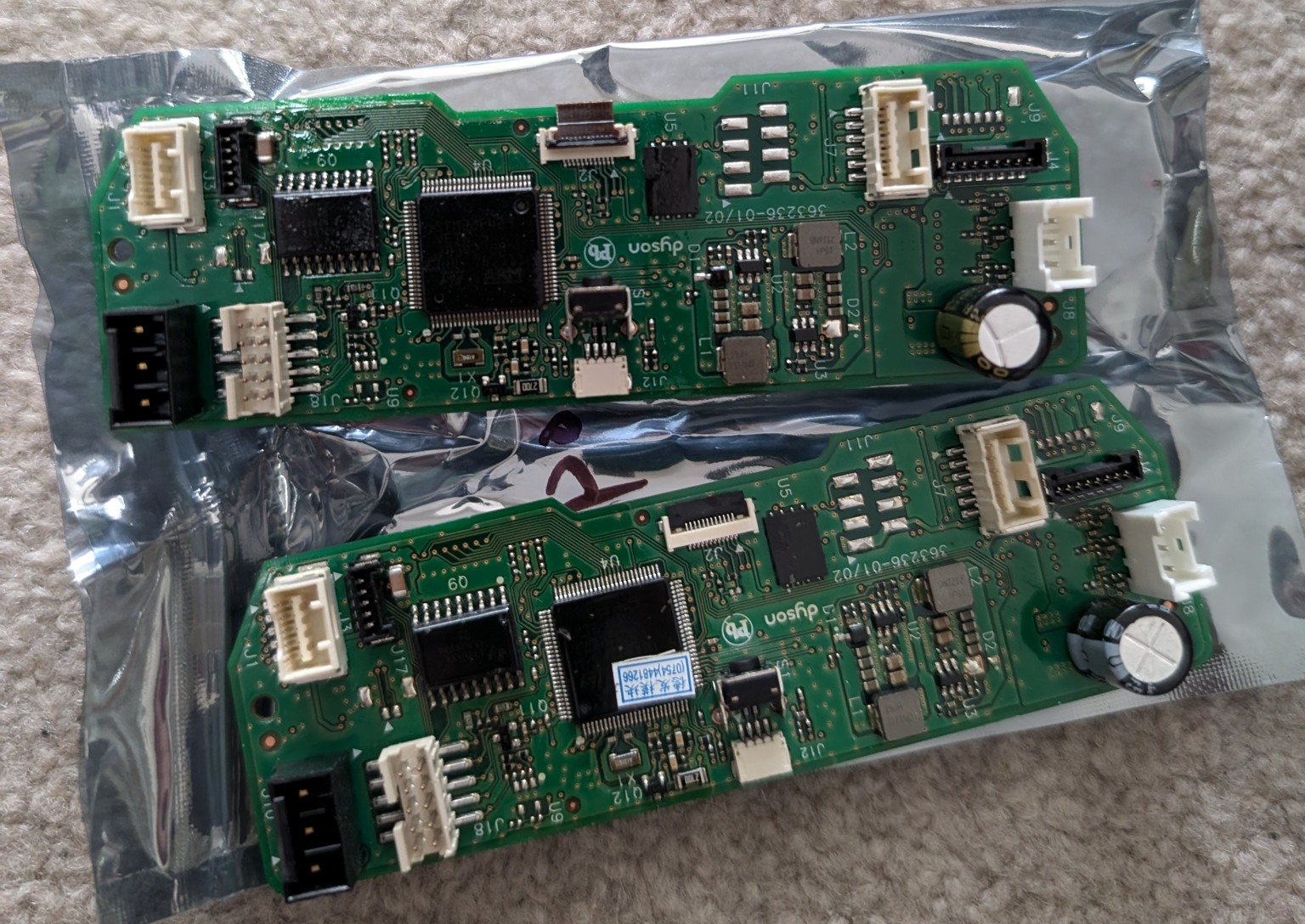
I had assumed that the issue was related to the motherboard due to the weird behaviour the fan exhibited when powering on. Maybe I had fried it while trying to solder the IR trace or maybe I somehow damaged it via the UART port?
While installing it, I found a part of the cable lying on the ground. I ignored it at first, and disassembled (almost) the entire thing, thinking maybe it was the power supply that was having issues. This blog from n0.lol has some good pictures of a full teardown. I wasn't ever able to get to the power supply, and one day I had a shower thought about that broken cable part from the display...
I hypothesised (and now have come to the conclusion) that there had been an invisible crack on the display cable, and that while trying to fix the fan, I had weakened it by removing/re-installing it enough times that it eventually failed and completely snapped off. And that (somehow), maybe this was preventing the entire fan from working.
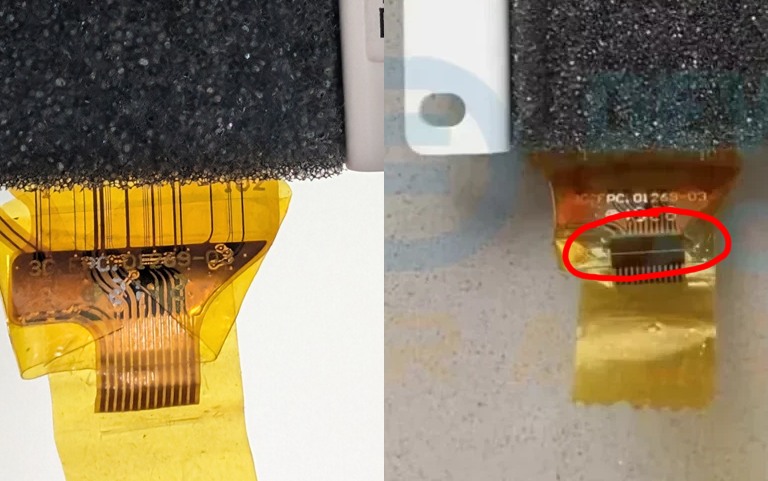
I tested my hypothesis by holding the (remaining) bits of the display cable in the cable port and I was able to successfully turn it on several times in a row. The display still didn't show anything, but the fan didn't shut off and it was responsive to remote commands again.
It's a bit stupid for a fan to require a display to run, but I think the firmware just crashes if it can't initialise the screen. Why does the fan stay on when you power cycle it quickly? I have no idea, maybe it's some kind of debug mode or it's invoking another bug in the firmware like a race condition.
Conclusion
I haven't received the new display yet, but I'm pretty confident it will resolve my issues. Or, in the worst case, I can make something to hold the broken screen's cable in place (I don't care too much if the screen itself doesn't function).
If you're having the same symptoms, check out Aliexpress for replacement displays - the listing I used is gone now (from this shop), but I was able to get one for $30 AUD.